Bigo Live
Screenshots
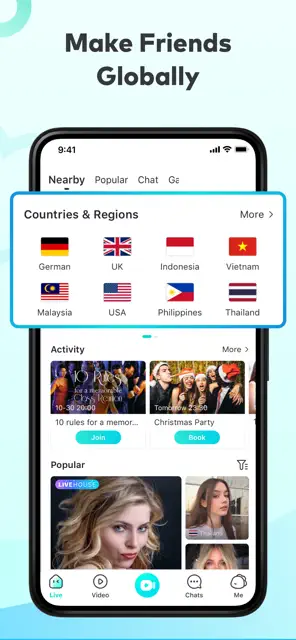
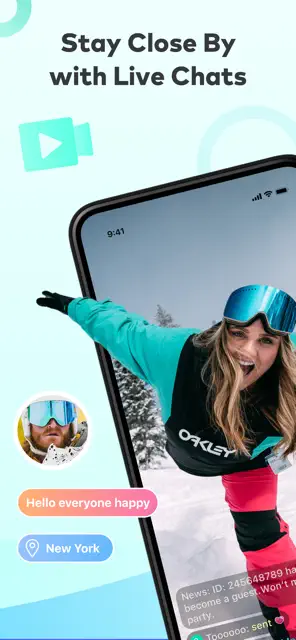
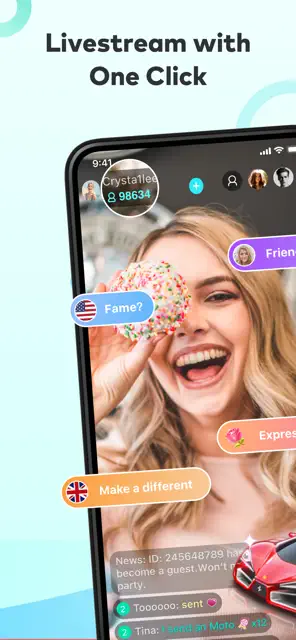
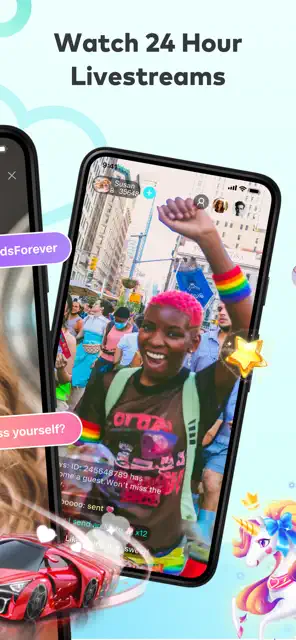
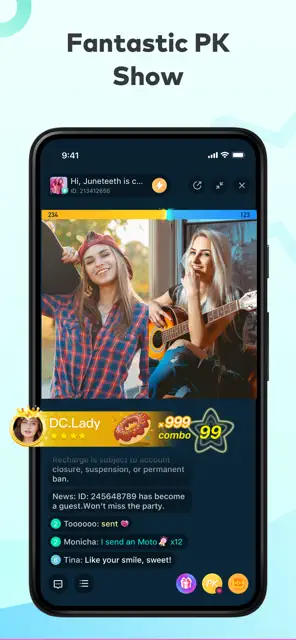
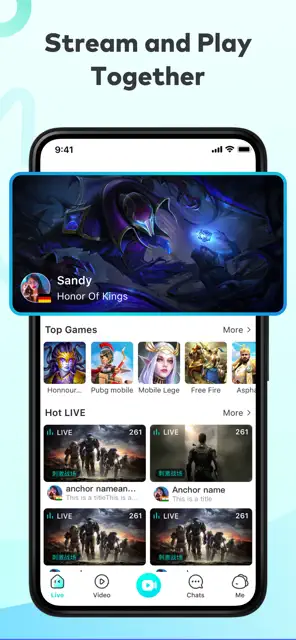
Bigo Live offers a dynamic way to connect with the world through your Android device. This platform serves as a global social media hub where users broadcast their daily lives and talents in real time. You can share your hobbies, talk to strangers, or showcase a specific skill to an audience of millions. The app transforms your phone into a portable broadcasting studio, making it easy to build a community from anywhere.
The Android version of this app focuses on high performance and interactive features. It allows you to join multi-guest rooms, send virtual gifts, and participate in live PK battles. Whether you want to watch popular streamers or start your own journey as a content creator, the interface remains intuitive. It bridges the gap between different cultures by providing a space for instant communication and entertainment.
How To Download And Install Bigo Live APK For Android
Bigo Live is a global social platform that lets you broadcast your life and connect with millions of people. You can share your talents, chat with friends, and watch amazing live performances from around the world. This app transforms your smartphone into a window to a global community. It offers a fun space for video calls, gaming streams, and interactive PK battles.
Many users prefer to download the APK file directly to their Android devices. This method provides more control over the version you use. It also helps if you have trouble accessing official app stores in your region. Follow this guide to learn how to download and install the Bigo Live APK safely and quickly.
Why Choose the APK Version?
The official app store works for most people. However, the APK version offers clear benefits.
- Faster updates: You get new features as soon as they launch.
- Regional access: Some countries block the app on stores. The APK bypasses that.
- Older versions: You can install an older APK if your device struggles with the latest update.
- No Google Play required: Perfect for Huawei devices or custom ROMs.
Transitioning to the APK method gives you more control. You decide when to update. You also avoid store restrictions.
Prepare Your Android Device
Before you start the download, you must adjust your phone settings. Android devices usually block apps from outside sources for security. You need to grant permission to your browser or file manager to install these files.
- Open the Settings menu on your Android phone.
- Scroll down and select Apps or Privacy.
- Look for Special App Access and tap it.
- Find the option labeled Install Unknown Apps.
- Select the app you use to download files, such as Chrome.
- Toggle the switch to Allow from this source.
Now your device is ready. This step ensures the installation process runs smoothly without any interruptions.
How to Download Bigo Live APK
You need to find a reliable source to get the installation file. Look for a trusted website that offers the latest version of the app. Ensure the site has good reviews to keep your data safe.
- Open your mobile browser.
- Visit Filetomob.com.
- Search for “Bigo Live APK Download”.
- Choose the app page.
- Click the Download button to start the process.
- Wait for the file to finish saving to your device.
Check your notifications to see the progress. Once the bar reaches 100 percent, the file is ready for use.
Installing the App Step-by-Step
After the download finishes, you must install the software. This part is quick and only takes a few taps.
- Open your File Manager app.
- Go to the Downloads folder.
- Tap on the Bigo Live APK file you just downloaded.
- A pop-up window will appear asking for confirmation.
- Click the Install button.
- Wait while the system sets up the app on your phone.
Once the installation completes, you will see an “App Installed” message. You can now find the icon on your home screen or in your app drawer.
Start Using Bigo Live
Open the app to begin your social journey. You can sign up using your phone number or a social media account. The interface is simple and easy to navigate. You can immediately browse through live categories like music, dance, or gaming.
Active users love the interaction this app provides. You can send virtual gifts to your favorite broadcasters. You can also start your own stream with just one tap. The app uses advanced technology to provide high-quality video and clear audio.
Bigo Live: Setting Up Your Profile
Setting up a Bigo Live profile is your first step toward joining a global community of creators. A well-crafted profile helps you attract followers and build your personal brand. Follow this guide to create a professional presence on the platform.
Quick Sign-Up Methods
Bigo Live makes the registration process fast and easy. You can choose from several secure methods to create your account. Using an existing social media account often speeds up the setup.
- Phone Number: Enter your mobile number and verify it with a code sent via SMS. This keeps your account secure and easy to recover.
- Google Account: Link your Gmail for a one-tap login experience. This is a very popular choice for Android users.
- Facebook Integration: Use your Facebook profile to sync your basic info and find friends who already use the app.
Perfecting Your Profile Picture
Your profile picture is the first thing people see. It acts as your digital handshake. High-quality visuals encourage users to click on your live stream.
- Choose Clarity: Use a high-resolution photo where your face is clearly visible. Avoid blurry or dark images.
- Show Personality: Pick an image that represents your content. If you are a gamer, an avatar or a gaming setup works well. If you are a singer, a photo with a microphone adds context.
- Lighting Matters: Good lighting makes you look more professional. Try to use natural light or a simple ring light for the best results.
Writing a Compelling Bio and Username
Your username and bio tell your story in seconds. You want to be memorable and easy to find.
- The Username: Select a unique name that is easy to spell. If your preferred name is taken, add a simple number or a relevant keyword like “Live” or “Music.”
- The Bio: Keep your bio short and energetic. Use this space to tell people what you do. Mention your streaming schedule or your specific talents. For example, “Daily guitar sessions at 7 PM” tells viewers exactly what to expect.
Linking Other Social Accounts
Linking your other social platforms is a smart move for growth. It creates a bridge between your different online communities.
Go to your profile settings and find the account linking section. You can connect platforms like Instagram or Twitter. This allows your Bigo fans to follow your journey elsewhere. It also verifies your identity, which builds trust with your audience. When you link these accounts, you make it easier for fans to stay connected even when you are offline.
By following these steps, you create a strong foundation for your streaming career. A polished profile shows that you take your content seriously.
Start Your First Bigo Live Stream On Android
Starting your first stream on Bigo Live feels exciting. Many people feel a bit nervous when they first open the app, but the process is actually very straightforward. This guide shows you exactly how to launch your broadcast on an Android device today.
Step 1: Start the Setup
First, open the Bigo Live app on your phone. Look at the bottom center of your screen. You will see a large “+” icon or a button that says “Go Live.” Tap this button to enter the preview mode. Do not worry; you are not live yet. This screen allows you to check your appearance and set up your stream details before anyone sees you.
Step 2: Pick Your Category
Bigo Live hosts many different types of creators. You need to tell the app what you plan to do so the right viewers can find you. Look for the category options on the screen.
- Just Chatting: Use this if you want to talk to people and answer questions.
- Gaming: Select this if you plan to share your mobile screen and play games.
- Music: Choose this for singing, playing instruments, or DJ sets.
Selecting a clear category helps the algorithm place your stream in front of interested users.
Step 3: Polish Your Look
Before you go live, check your surroundings. Android users have access to several built-in tools to make the stream look professional.
Use Beauty Filters
Bigo Live offers various filters that smooth out skin or adjust lighting. You can find these in the “Beauty” menu. Use them to enhance your confidence, but keep it natural so your personality still shines through.
Blur Your Background
If your room is messy, use the Background Blur feature. This tool keeps the focus on your face and hides any distractions behind you. It creates a clean, professional look instantly.
Check Orientation
Decide if you want to hold your phone vertically or horizontally. Most “Just Chatting” streams work best in portrait mode. However, if you are showcasing a game, landscape mode usually provides a better experience for your audience.
Step 4: Add a Catchy Title
Write a short, engaging title for your broadcast. Instead of saying “My First Stream,” try something like “Let’s Chat and Listen to Music” or “New Streamer: Come Say Hi!” A good title acts like a magnet for new viewers.
Step 5: Go Live and Engage
Once you feel ready, hit the “Go Live” button. After a short countdown, you are officially on air. Now, the real fun begins.
How to Interact
Interaction is the secret to success on Bigo Live. Follow these tips to keep your viewers happy:
- Greet Newcomers: When you see a name pop up in the chat, say hello to them immediately.
- Read Comments Aloud: This makes the person who wrote the comment feel heard and valued.
- Ask Questions: Keep the conversation moving by asking your audience about their day.
- Acknowledge Gifts: If someone sends you a virtual gift, thank them with enthusiasm.
Final Thoughts
Consistency matters more than perfection. Your first stream might feel a little awkward, but you will improve every time you hit that button. Focus on being yourself and enjoying the conversation. Start your Android broadcast today and see where your creativity takes you!
Bigo Live: A Guide To Earning And Spending
Bigo Live stands as a premier global platform for live streaming and social interaction. Many users on Android seek to understand how the app manages its internal economy. This guide explains how you can earn, spend, and manage your finances within the Bigo Live ecosystem.
How Viewers Send Gifts and Beans
Viewers use the platform to support their favorite creators through virtual gifting. This process starts with the acquisition of Diamonds, which serve as the primary purchasing currency for viewers.
- Browsing the Gift Store: During a live stream, you can tap the gift icon at the bottom of the screen. This opens a menu featuring various items like flowers, cars, or luxury yachts.
- Selecting an Item: Each gift has a specific Diamond price. Simple items cost very few Diamonds, while premium animations require a larger balance.
- The Conversion to Beans: When a viewer sends a gift, the system automatically transforms it into Beans for the streamer.
- Interactive Support: Sending gifts often triggers special visual effects on the screen. These interactions help viewers get noticed by the broadcaster and build a stronger community connection.
How Streamers Convert Beans to Real Money
Streamers do not receive cash directly from viewers. Instead, they accumulate Beans as their virtual salary. Turning these digital rewards into actual currency involves a specific cash-out process.
- Monitoring Your Wallet: Broadcasters track their progress in the “Wallet” section of their profile. Here, they can see their total Bean count.
- Understanding the Exchange Rate: Bigo Live typically operates on a set conversion rate. For instance, 210 Beans generally equal $1 USD.
- Meeting Minimum Requirements: You cannot withdraw money at any time. The platform requires a minimum balance, often starting at 6,700 Beans, before you can initiate a transfer.
- Initiating the Cash Out: Once you hit the threshold, you select the “Exchange Rewards” option. You then link a valid payment method, such as a bank account or a digital wallet like Payoneer.
- Wait Times: Smaller withdrawals usually process within a few business days. Larger amounts might undergo a longer security review to ensure all transactions are legitimate.
In-App Purchases on Android
Android users enjoy a seamless experience when buying Diamonds. The integration with the Google ecosystem makes transactions fast and secure.
- Accessing Recharge Options: To buy Diamonds, you visit your profile and enter the “Wallet” menu. You will see various Diamond packages ranging from small bundles to large bulk offers.
- Pricing Tiers: Costs vary depending on your region and current promotions. Generally, larger packages offer a better value per Diamond.
- Payment via Google Pay: When you select a package, the Android system triggers a Google Play pop-up. You can pay using your saved credit cards, debit cards, or Google Play balance.
- Security and Speed: Using Google Pay ensures that your financial data remains protected. Most purchases reflect in your Bigo account instantly, allowing you to resume gifting without delay.
By understanding these systems, you can navigate Bigo Live with confidence. Whether you are a fan showing support or a creator building a career, the platform provides clear tools for financial interaction.
Bigo Live: Tips for Growing
Growing your presence on Bigo Live as an Android user requires strategy and dedication. This platform offers many tools to reach new fans. If you want to increase your following and earn more beans, you must understand how the app works. Follow these tips to build a successful channel.
Stream at the Right Times
Timing is a vital factor for your success. You want to be online when most of your target audience is active. This varies depending on where you live.
- North America: The best times are usually between 7:00 PM and 11:00 PM EST.
- Southeast Asia: Early morning or late evenings work well because users check the app before and after work.
- Middle East: Late night sessions often see the highest engagement levels.
Experiment with different hours for one week. Check your stream data to see which slots attract the most new followers.
Use Hashtags and Stay Consistent
Bigo Live uses hashtags to categorize your content. These tags help the algorithm show your stream to the right people.
- Select relevant tags: If you are singing, use tags like #Music or #Singing. If you are just chatting, use #NewStar or #Global.
- Stay focused: Do not use random tags. Misleading hashtags can make viewers leave quickly, which hurts your ranking.
Consistency is equally important. Try to go live at the same time every day. When you are consistent, your fans know when to find you. The app also rewards active creators by pushing their streams higher in the search results.
Engage With Your Viewers
Building a community requires interaction. Your viewers want to feel noticed. When someone enters your room, greet them by their username. This small gesture makes people feel welcome.
- Ask questions: Encourage the chat to participate. Ask about their day or their favorite hobbies.
- Read comments aloud: This keeps the conversation moving and shows you are paying attention.
- Appreciate gifts: Always thank users who send you virtual gifts. Positive reinforcement encourages more support.
Active engagement keeps people in your room longer. This signals to the app that your content is high quality.
Join PK Battles
PK battles are one-on-one competitions between two streamers. They are excellent for gaining exposure. During a PK, your screen splits, and you face another creator.
- Cross-promotion: You get to show your talent to the other streamer’s audience. This often leads to new followers from their fan base.
- Energy and excitement: These battles create a sense of urgency. Your fans will work harder to support you so you do not lose the match.
- Collaborate: Choose opponents who have a similar number of followers. This keeps the match fair and fun for everyone.
Battles provide a fast way to climb the rankings. They make your stream more dynamic and entertaining for everyone watching. By following these steps, you can grow your Bigo Live channel and build a loyal fan base. Stay active, stay friendly, and keep your content fresh.
Stay In Control: Safety And Privacy On Bigo Live For Android
Bigo Live connects millions of people through real-time video streaming. While the platform offers endless entertainment, staying safe requires a proactive approach. Protecting your personal data and managing your interactions are essential steps for every Android user. This guide explains how to secure your account and avoid common digital risks.
Blocking and Reporting Users
Interacting with millions of users means you might encounter people who behave poorly. You can stop unwanted interactions immediately.
- How to Block: Tap on the user’s profile picture during a stream or through search. Click the three dots in the top right corner and select Block.
- How to Report: If someone violates community rules, use the Report button in the same menu. Specify the reason, such as harassment or inappropriate content.
Hiding Your Location and Personal Info
By default, Bigo Live may show your city or your phone model. This information can help strangers identify your real-world location.
- Disable Location: Go to your profile (the Me icon), tap Settings, then enter Privacy. Toggle the switch for Hide Location to the on position.
- Hide Device Information: In the same Privacy menu, find the option to Hide Device Model. Turning this on prevents others from seeing what phone you use.
- Stay Anonymous: Avoid using your full legal name as your username. Do not link your exact home address or workplace in your bio.
Setting Up a Private Account
While Bigo Live focuses on public broadcasting, you can control who interacts with your posts and profile.
- Comment Privacy: Navigate to Settings and then Privacy. You can limit who comments on your posts. Choose between everyone, fans, or only people you follow.
- Online Status: You can hide your online status so others do not know when you are active on the app.
Parental Controls and Minor Safety
Bigo Live has a “Teen” rating on the Google Play Store, but many users encounter mature themes. The app uses AI to verify ages, but parents should remain vigilant.
- Google Play Restrictions: Use the Android system settings to restrict app downloads based on age ratings.
- Active Monitoring: Because the app lacks a dedicated “Kids Mode,” parents should regularly check the “Me” section to see who their child follows and who follows them back.
- Family Link: Use the Google Family Link app to set time limits and monitor app activity.
Warning About Scams and Inappropriate Content
Scammers often target users by promising free diamonds or virtual gifts.
- Avoid External Apps: Never move a conversation to WhatsApp or Signal if a stranger asks. Scammers use these platforms to blackmail users or send malicious links.
- Financial Safety: Do not share your banking details or passwords with anyone claiming to be Bigo staff. Official staff will never ask for your login credentials.
- Content Alerts: If you see nudity, violence, or drug use, exit the room immediately. Report the broadcaster so the AI moderation team can take down the stream.
By using these privacy settings, you keep your Android experience secure while enjoying the creative side of live streaming. Always prioritize your safety over gaining followers.
Bigo Live: Bigo’s Virtual Currency & Economy
Bigo Live is one of the most popular streaming platforms for Android users. It features a deep and complex economy that allows creators to earn real income. To succeed as a streamer, you must understand how virtual currency works.
This guide explores the Bigo Live economy, from earning tokens to withdrawing your hard-earned cash.
Understanding Bigo’s Virtual Currencies
The platform uses three distinct types of currency. Each serves a specific purpose for viewers and creators.
1. Diamonds
Diamonds are the primary currency for viewers. You purchase them with real money through the Google Play Store or third-party recharge services. Viewers use Diamonds to buy virtual gifts for their favorite streamers. You cannot earn Diamonds for free through streaming; they are strictly a “purchase-only” asset.
2. Beans
Beans are the most important currency for streamers. When a viewer sends you a gift, that gift converts into Beans in your wallet. Beans represent your actual earnings on the app. They are the only currency you can exchange for real money.
3. Gold
Gold is often used for platform-specific activities and games within the app. While less central than Beans or Diamonds, Gold helps users participate in interactive features and internal promotions.
The Exchange Rate: How Much Are Beans Worth?
The value of Beans fluctuates slightly based on regional exchange rates and platform updates. However, the standard conversion rate is generally fixed.
210 Beans = $1 USD
If you want to reach a specific financial goal, you can use this math to track your progress. For example, if you accumulate 21,000 Beans, your account holds a value of approximately $100. Note that 10,000 Beans equals roughly $47.60, which is much higher than older platform estimates. Always check your in-app wallet for the most current localized rate.
How Streamers Withdraw Money
Cashing out your earnings is a straightforward process. Bigo Live provides several methods to move funds from your virtual wallet to your bank account.
Withdrawal Methods
Most streamers use one of the following options:
- Bank Transfer: You can link your local bank account directly.
- Payoneer: This is a popular choice for international streamers.
- PayPal: Available in many regions for quick and easy transfers.
Minimum Thresholds and Limits
You cannot withdraw small amounts of money. You must reach a minimum balance of 6,700 Beans before you can request a payout. This equals about $31.90.
Additionally, the platform usually limits withdrawals to once per week. Large payments—typically those over $1,000—may take up to 25 to 30 days to process because of security audits. Smaller amounts often arrive within 3 to 5 business days.
Tax Implications for Serious Streamers
If you earn a significant income on Bigo Live, you must treat it like a professional business. The money you receive is taxable income.
In many regions, including the United States, Bigo Live does not automatically deduct taxes from your payout. You are responsible for reporting these earnings to your local tax authority, such as the IRS.
If you earn over a certain amount, the platform may require you to submit tax documentation or a Form W-9. Keep clear records of your withdrawals and any platform fees. Since tax laws change frequently, consulting a professional accountant ensures you stay compliant while maximizing your creator earnings.
Bigo Live For Different Types Of Creators
Bigo Live has evolved into a powerhouse for mobile broadcasting. While many view it as a simple social app, the Android version offers specific tools that cater to various professional niches. Whether you are a musician or a specialized tutor, the platform provides a unique stage to grow your audience.
Musicians: Creating a Concert Experience
Musicians find a welcoming home on Bigo Live because the Android app prioritizes audio quality. If you are a singer or instrumentalist, you can transform your room into a virtual stage.
- Audio Enhancement: Use the built-in echo and reverb effects to add depth to your vocals. These tools help mimic a professional studio environment.
- External Gear: Android devices easily connect to external sound cards via USB-C. This allows you to plug in high-quality XLR microphones for a crisp sound.
- Audience Interaction: Active engagement is key. Musicians often take song requests in real-time, turning a static performance into an interactive show.
Gamers: Mastering Mobile Streaming
Gaming is one of the most popular categories on the platform. The Android version of Bigo Live excels here because it allows for seamless screen casting.
- Dual View: You can cast your game screen while keeping the front camera active. This lets your fans see your genuine reactions during intense moments.
- Performance Optimization: Ensure you clear your cache before starting. Mobile gaming requires significant RAM, and a fresh start prevents lag during high-stakes matches.
- Community Building: Gamers often use the “Family” feature to group their loyal fans together. This fosters a dedicated community that follows every stream.
DJs: Navigating the Digital Booth
DJs use Bigo Live to host virtual parties. While the app makes it easy to stream pre-recorded mixes or live sets, you must stay mindful of copyright rules.
- Mixing Tools: Many DJs connect their controllers directly to their Android phones. This setup ensures the beat remains clear and punchy.
- Copyright Risks: Be careful with mainstream tracks. Frequent copyright strikes can lead to account bans. Focus on original remixes or royalty-free tracks to keep your channel safe.
- Visual Flair: Use the app’s filters and stickers to enhance the party atmosphere. Bright colors and rhythmic lighting help keep the energy high.
Tutors: Sharing Knowledge in Real-Time
Bigo Live is not just for entertainment; it is a space for education. Tutors use the platform to teach languages, coding, or even fitness.
- Visual Aids: If a native whiteboard mode is unavailable, creative tutors use external drawing pads. By connecting these to an Android tablet or phone, you can sketch diagrams or write notes for your students.
- Structured Sessions: Divide your stream into segments. Start with a lesson, then move to a Q&A session to ensure your viewers understand the material.
- Direct Feedback: The chat feature allows for instant feedback. You can correct a student’s pronunciation or answer a math question immediately.
ASMRtists: Precision and Sound Sensitivity
ASMR creators rely on delicate sounds to trigger relaxation. The Android app provides the necessary control over audio input to make this possible.
- Mic Sensitivity: Adjust your Android microphone settings to pick up whispers and soft taps. High sensitivity is crucial for a successful ASMR session.
- Stereo Sound: Use a binaural microphone setup. When you plug a 3D mic into your Android device, your viewers feel like they are in the room with you.
- Visual Atmosphere: Soft lighting and a clean background help set the mood. ASMR is a visual experience as much as an auditory one.
Summary of Best Practices
To succeed as a creator on Bigo Live, you must understand your tools. Keep your app updated to access the latest features. Always check your internet connection before going live to avoid interruptions. Finally, interact with your viewers constantly. They are there for the content, but they stay for the person behind the screen. Through consistent effort and the right technical setup, any Android user can become a top-tier creator on the platform.
Frequently Asked Questions About Bigo Live For Android
Is Bigo Live free to use?
Yes, the app is free to download and use. You can watch live streams and start your own broadcasts without paying a fee. However, the app offers in-app purchases for virtual gifts and premium memberships.
Can I change my Bigo ID?
You can change your Bigo ID only once. To do this, go to your profile page, tap “Edit,” and select your ID. Choose a unique name that represents you well, as you cannot modify it again later.
How do I delete my account?
If you decide to leave the platform, you can find the account deletion option in the settings menu. Navigate to “Account Management” and follow the prompts to deactivate your profile. Remember that this action is permanent and deletes all your data.
How do I start a live broadcast?
Tap the round camera icon at the bottom center of the home screen. Give your broadcast a catchy title and select a category. Once you are ready, tap “Go LIVE” to start interacting with your audience.
What are Diamonds and Beans?
These are the virtual currencies within the app.
- Diamonds: You purchase these with real money to buy virtual gifts for broadcasters.
- Beans: Broadcasters receive these when viewers send them gifts. You can convert Beans back into Diamonds or cash them out for real currency once you reach a certain threshold.
How can I block someone on Bigo Live?
If a user is bothering you, visit their profile and tap the three dots in the top right corner. Select “Block.” This prevents them from viewing your streams or sending you messages.
Can I make my broadcast private?
Yes, Bigo Live allows you to create private rooms. When you start a broadcast, you can set a password. Only users who have the password can enter your stream.
How do I update Bigo Live?
Check the Google Play Store regularly for updates. Developers release new versions to fix bugs and introduce fresh features. Keeping the app updated ensures a smoother and safer experience.
How can I get more followers?
Consistency is key to gaining followers. Schedule your broadcasts at the same time every day so your fans know when to tune in. Interact actively with your viewers by answering their questions and thanking them for gifts.
What is a “Family” in Bigo Live?
A Family is a group of users who support each other. Joining a Family helps you gain more visibility and provides a community of creators who can offer tips and encouragement.